
Day 3: Using Spotify Playlists to Attract New Subscribers

On Day 3—I thought I'd bring you something ✨fun✨.
When I first started working with Chamber of Mothers, a nonprofit dedicated to advancing maternal rights in America—we were just coming out of pandemic-era times.
Mothers especially were (are?!) burnt out.
Between Zoom calls, packing lunches, trying to keep everyone healthy and everything in between—one mom said to me, “Sometimes I just like to sit in my car parked in the driveway and BLAST music.”
Boom 💥 the Spotify playlist idea was born.
Here's how we did it.
🛠️ Setting up your Spotify playlist
Before you set up the pages—you first need to come up with an idea.
For example, Chamber of Mothers developed a playlist for “moms who needed to let out some rage”, Barilla, the pasta brand, has a playlist for the exact length of cook time for a variety of pastas (eg: press play, drop in pasta noddles, music stops and you have perfect al dente pasta!).
There are a million ways to do this.
Think of your ideal email subscriber—what would they want?
Some ideas:
➡️ If you're an after school music program—maybe you put a playlist together of music hits played by a live marching band.
➡️ If you're a climate-focused organization—maybe you put together a playlist of nature sounds to fall asleep to.
➡️ If you're a mental health organization—maybe you source songs from your community that are sure to put a smile on a face.
Come up with your idea and then follow these steps. ⬇️
Step 1: Log Into Spotify and Click the “Create” Button (top left corner) + Start Building Your Playlist
Once you login to Spotify, click “create” and choose “Playlist”.
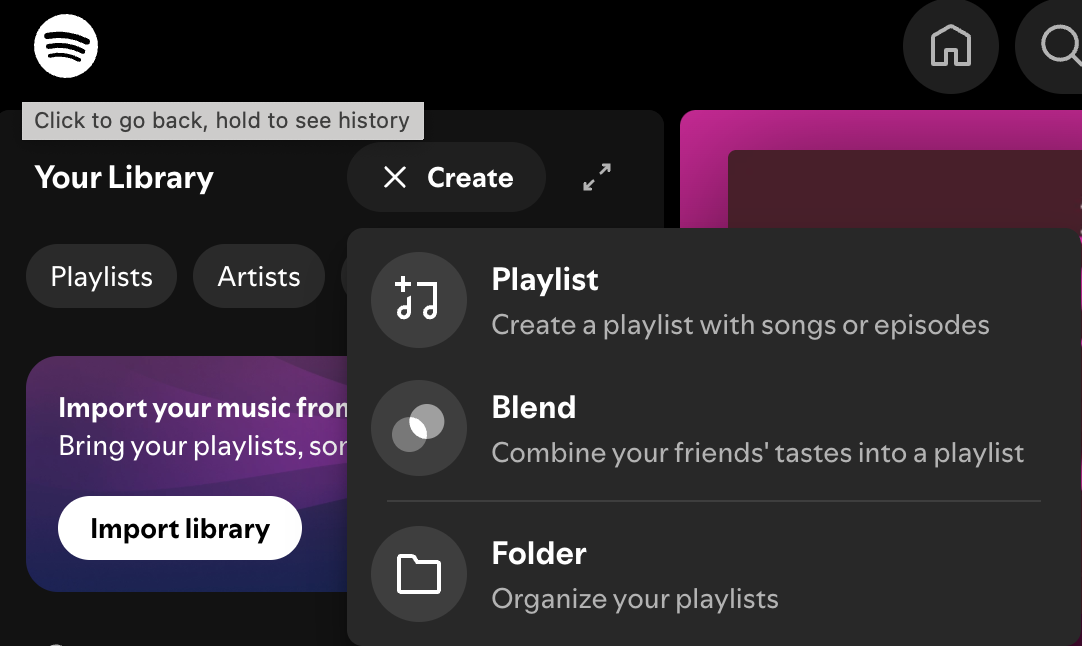
From there, you can name your playlist, give it a background image and start adding your songs.
Once your playlist is ready, you'll want to grab the link to share.
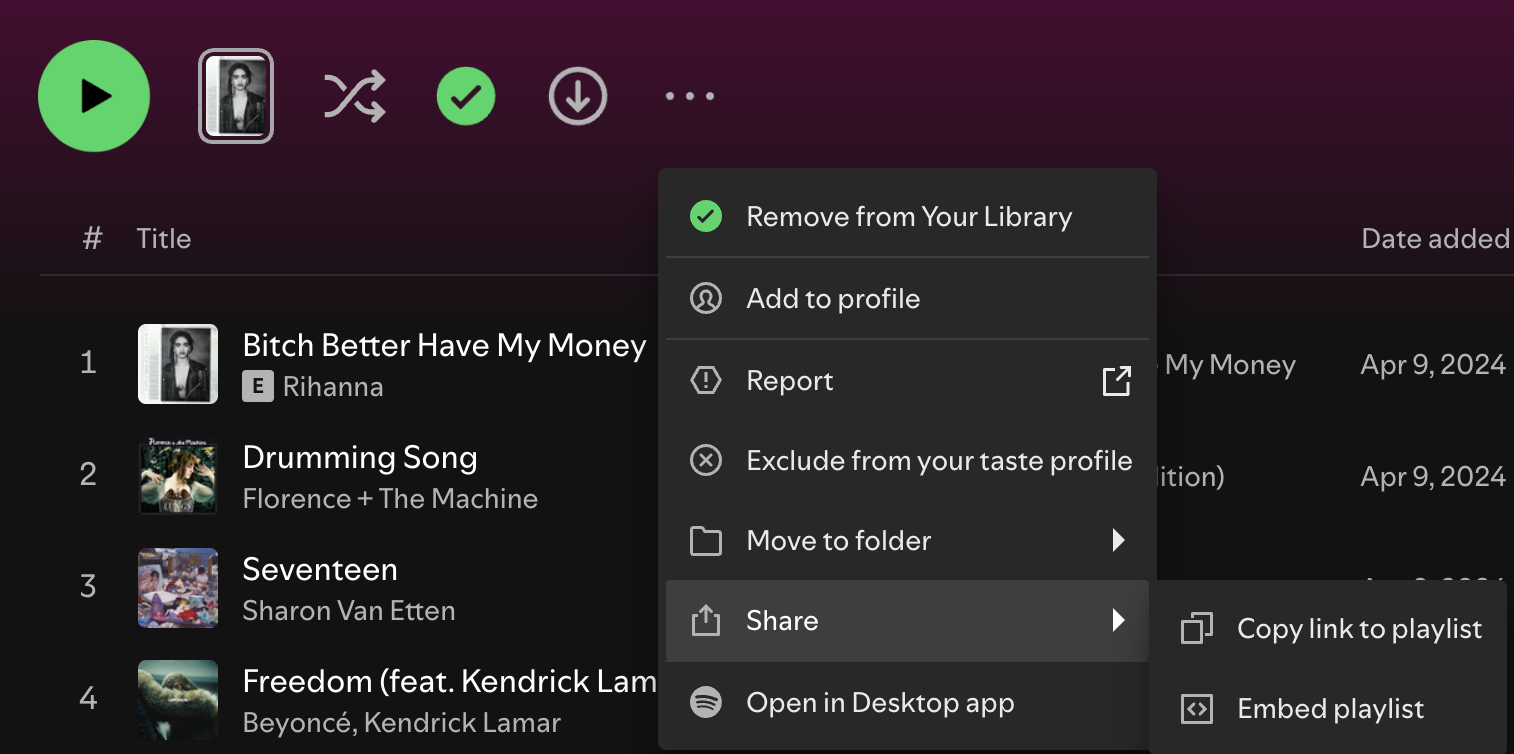
Step 2: Build Your Opt-In Page in Your Email Service Provider
Once your playlist is created and ready to be shared—you need to build your opt-in page aka the page people will input their email address in exchange for access to your playlist.
Go to your email service provider (Mailchimp, Constant Contact, Kit, FloDesk, etc) and choose your form.
In Mailchimp, this is called a Signup landing page.
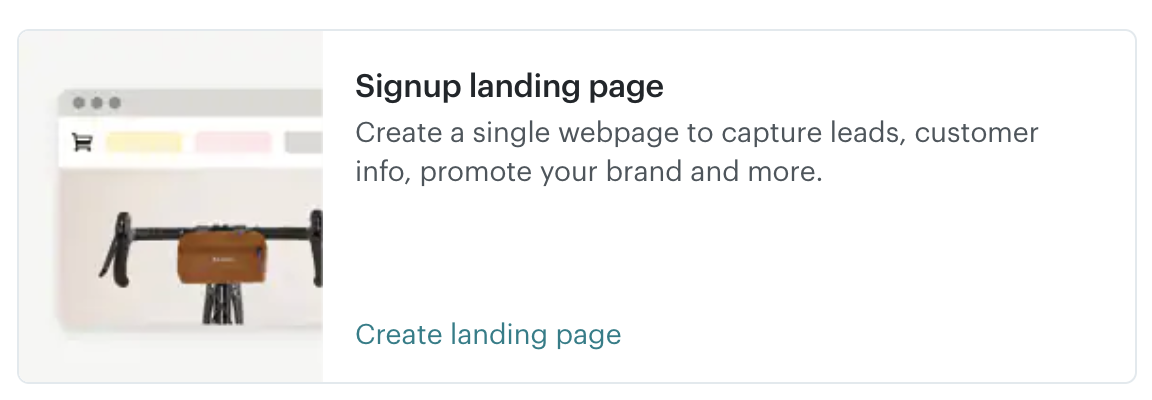
Follow the steps in your specific email service provider to build your email opt-in landing page.
PRO TIP: Ask for as little information as possible. I recommend a maximum of a first name and email address. The more info you ask for—the more friction you create.
Here is what Chamber of Mother's Rage Playlist Opt-In page looks like ⬇️.
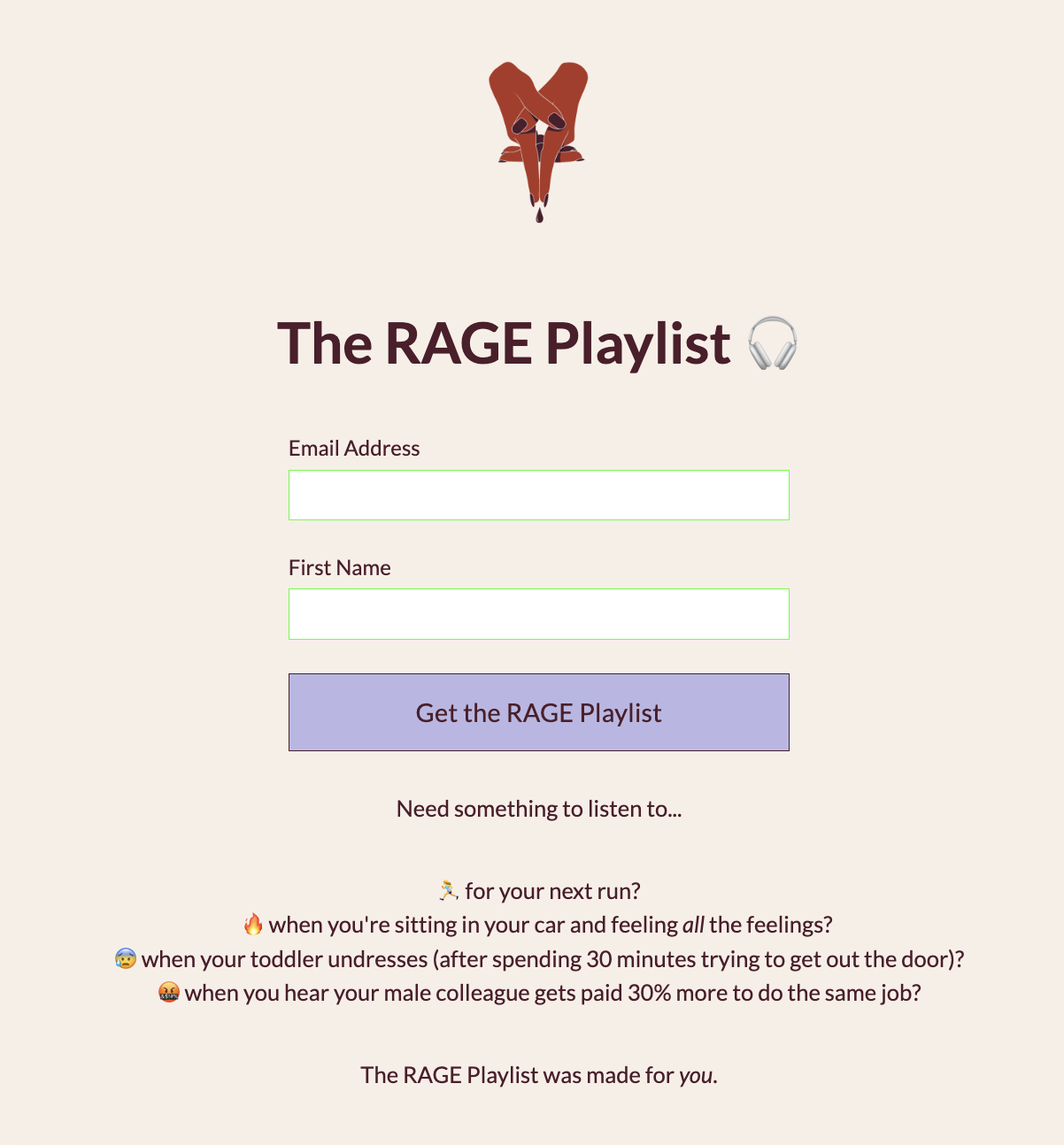
Step 3: Deliver your playlist
Once your Spotify playlist is created and your opt-in page is ready to go—you'll want to do two important things:
If your email service provider allows a re-direct page—you'll want that to be the link to your new Spotify playlist. This will make sure that once someone subscribes, they will immediately be re-directed to their new playlist!
You'll want to set up an automated delivery email. Sometimes these are called automations or workflows. This will ensure that once someone subscribes to your new playlist—they will receive an automatic Welcome email with their new resource.
Viola! You're done. Now you can share your new Spotify play list opt-in far and wide and they will in turn join your email list. 🎶
💡 Why it works
No one is dying to join another newsletter. They just aren't.
But if you give them a compelling reason to join—you'll be attracting your specific type of community member—the ones who are interested in your playlist theme.
It's also fun! And outside-the-box. And did I mention fun?
📊 Results
Chamber of Mothers has added hundreds of new subscribers to their email list + provided value to thousands of their current subscribers using this playlist strategy.
🧰 Tools Needed
An email service provider (Mailchimp, Kit, FloDesk, etc)
A Spotify account
🗣️ Last thought
Growing your email list doesn't have to always be so serious. It can and should be playful—and most importantly—something people actually want to join.
A Spotify playlist opt-in can be a fantastic way to showcase your personality and offer something valuable to your potential and current subscribers.
I can't wait to see what you come up with.
Be back in your inbox tomorrow for Day 4!